

SeeClickFix Activity Report
SeeClickFix (www.seeclickfix.com/vallejo) is the City of Vallejo’s online and mobile platform that allows community members to report non-emergency neighborhood issues directly to City departments. Examples include potholes, streetlight outages, graffiti, illegal dumping, abandoned vehicles, tree trimming, and other public service needs. This tool promotes transparency and accountability by making every request visible on the public map and by keeping residents informed throughout the process.
How it Works
- Submit a Request – Residents use the website or mobile app to describe the issue, choose a category, and optionally add photos and a location.
- Routing to Departments – Requests are automatically routed to the responsible City department (Public Works, Code Enforcement, Police, City Manager’s Office, etc.) based on the issue type.
- Staff Action – Staff review, assign, and resolve the request according to internal workflows and resources.
- Status Updates – Residents can track progress online. Status changes are shown on the map and may include staff notes.
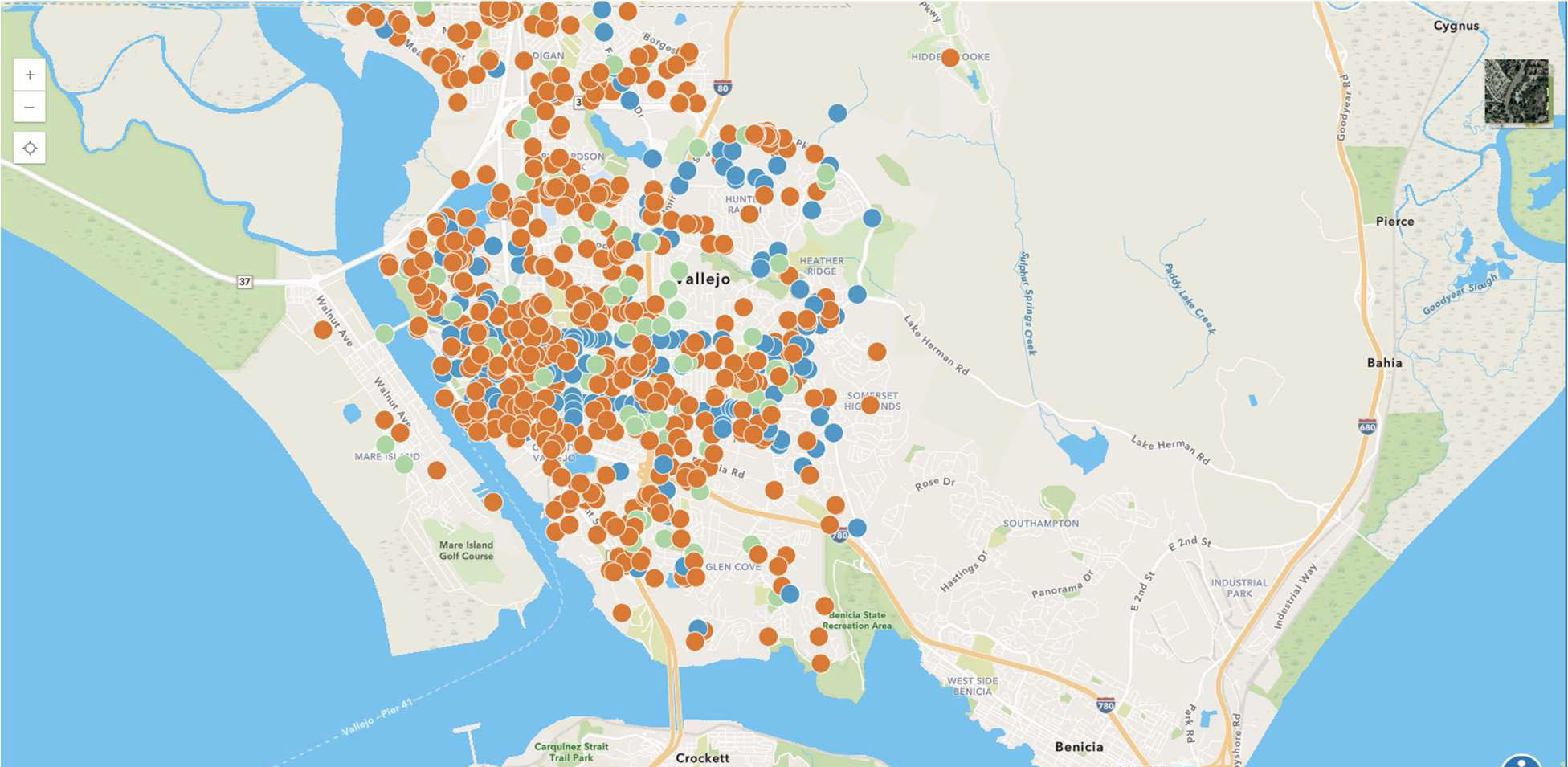
Map Legend: Icon Colors and Meanings
Orange – Open Requests
- Submitted but not yet reviewed by City staff.
- Examples: pothole reported, graffiti noted, illegal dumping site flagged.
Blue – Acknowledged / In Progress
- Reviewed by staff and either scheduled, assigned, or actively being worked on.
- Examples: Public Works scheduled a pothole repair; Housing is reviewing a code enforcement complaint.
Green – Closed / Resolved
- The issue has been completed, addressed, or otherwise closed with explanation.
- Examples: graffiti removed, trash dumped, site cleaned, pothole repaired.
Additional Features
- Mobile App: Free for iOS and Android.
- Running Totals & Reports: Data can be tracked by issue type, Date, Time, and Department
- Community Engagement: Residents can “watch” requests, add comments, or share updates.
- Quarterly Council Reports: The City of Vallejo provides quarterly summaries of top request categories, number of issues opened/closed, and unresolved carry-over cases.
City Reporting
City of Vallejo staff will provide the community with ongoing reporting via this dashboard: https://www.arcgis.com/apps/dashboards/8e0fa974b080496e84658596788364df
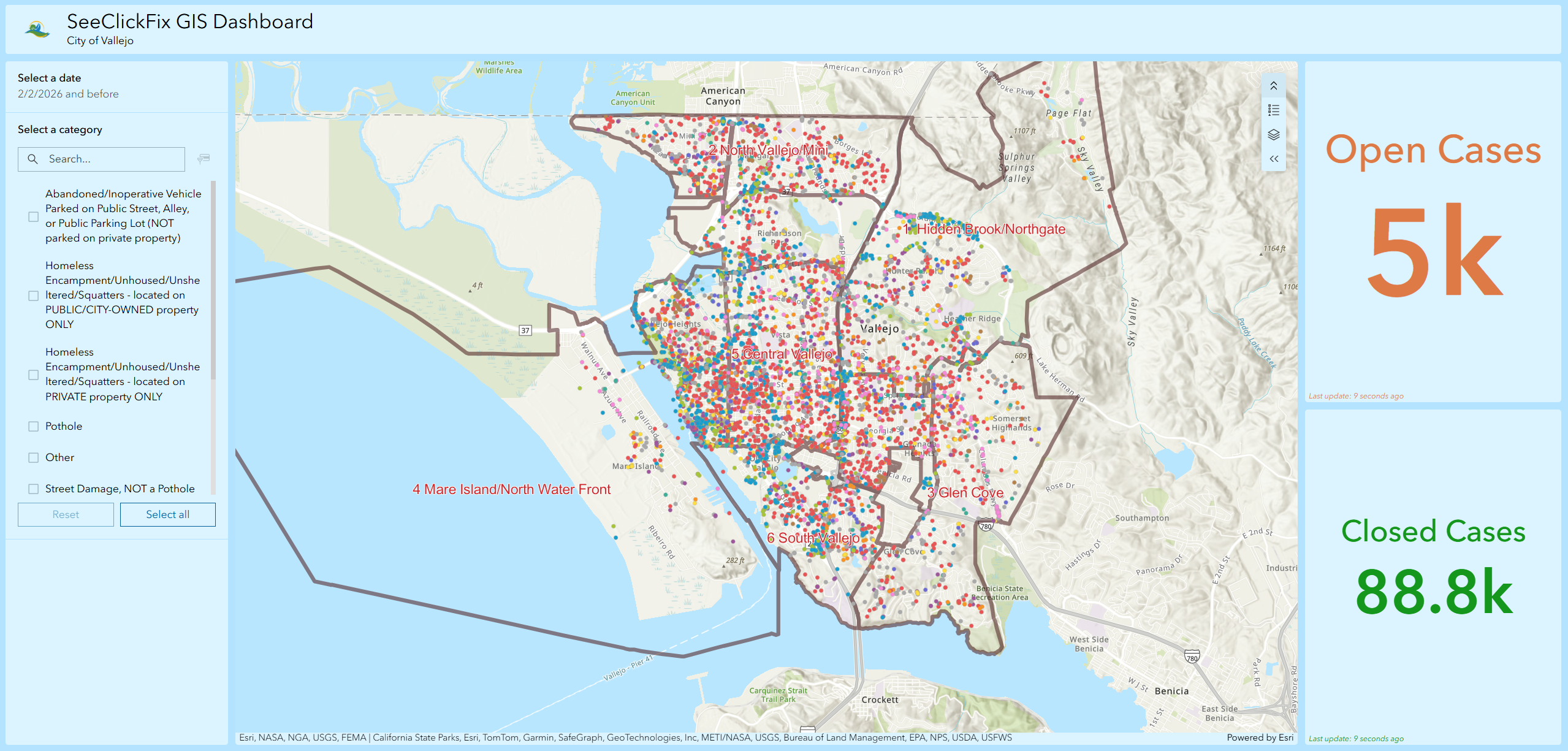
How it Works
- Clicking any dot on the map will create a pop-up with further case details. The bottom of the pop-up will have a direct link to the SeeClickFix case with all the information and record history.
- Zooming will provide better visibility/navigation while also enabling a heat map.
- Date range is filterable for visible cases via the top left selection box.
- Top case categories are filterable via the left-side checkbox list.
- Based on the selected filters, the open and closed case count will update accordingly. These values are live and always up to date.
Map Legend: Icon Colors and Meanings
All cases displayed on the GIS Map are either Open status cases or being processed. For closed/archived cases, please refer to SeeClickFix’s request search function.
 Red - Abandoned/Inoperative Vehicle Parked on Public Street, Alley, or Public Parking Lot (NOT parked on private property)
 Blue - Homeless Encampment/Unhoused/Unsheltered/Squatters - located on PUBLIC/CITY-OWNED property ONLY
 Green - Homeless Encampment/Unhoused/Unsheltered/Squatters - located on PRIVATE property ONLY
 Pink - Pothole
 Orange - Street Damage, NOT a Pothole
 Yellow - Sidewalk
 Brown - Fireworks, etc - You MUST report this directly to Fire (and/or Police)
 Teal - Street Markings (e.g., crosswalks, legends, etc.)
 Violet - Code Enforcement, Exterior Private Property Maintenance
 Gray - Other (Category with fewer cases)
 Purple - Other (No category)
